A Practical Guide on Using Artificial Intelligence (AI) for Change Practitioners
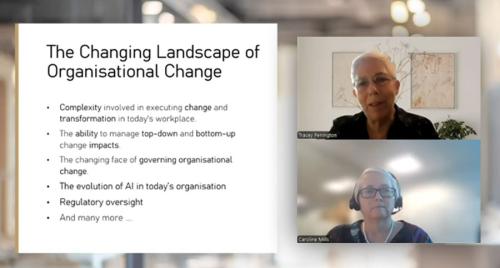
There’s a lot of noise right now about AI, as we discussed in our recent Revolutionising Change With AI webinar. Some of it is exciting. Some of it is overwhelming. And some of it quietly suggests that technology might replace parts of what we do.
But if you work in change, you’ll know this instinctively:
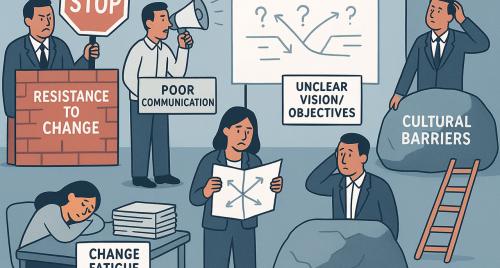
Change has never been the hard part. People have.
And that’s exactly where AI is starting to become genuinely useful.
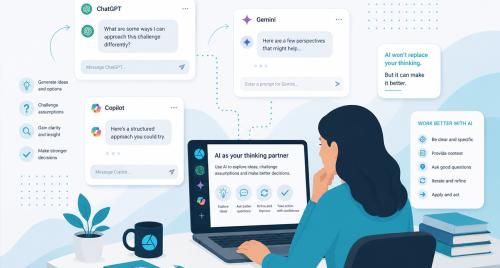
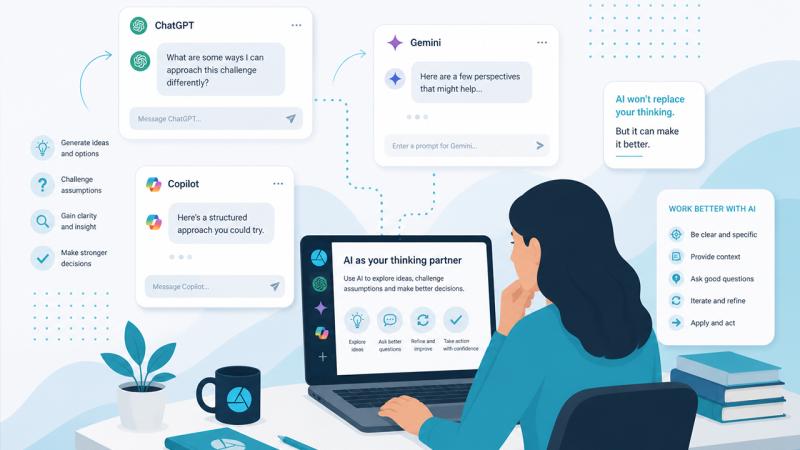
Not as a replacement, but as a thinking partner, a sounding board, or a way to sharpen what we do - across the entire change lifecycle.
From Tool to Teammate
Most people start by using AI like a faster version of Google or a content generator.
Write me a comms plan.
Summarise this document.
Helpful? Yes... Transformational? Not really.
The shift happens when you stop treating AI like a tool and start treating it like a member of your team.
One that can:
- challenge your thinking
- play different stakeholder roles
- help you sense-check before you act
It’s less like hiring a robot… and more like having a room full of slightly opinionated colleagues on demand.
AI Across the Change Lifecycle
One of the biggest misconceptions is that AI is only useful for communications or content creation.
In reality, it can support you at every stage of the change lifecycle - from early sense-making right through to adoption and optimisation. Whether you’re trying to make sense of what’s happening, shape your approach, engage stakeholders, or respond to feedback, it can play a role throughout the process.
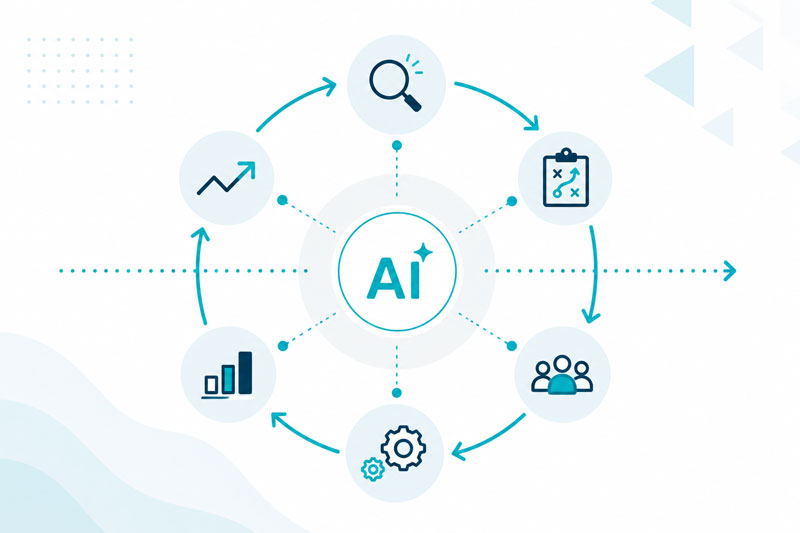
At the start, it helps you cut through complexity - bringing structure to messy inputs and identifying themes and risks more quickly. As you move into planning and strategy, it becomes a sounding board, helping you test assumptions and refine your thinking.
During implementation, it shifts again - supporting communications, helping leaders navigate conversations, and enabling you to respond in real time. And as change progresses, it helps you stay connected to how things are landing, making it easier to adjust and optimise along the way.
Rather than being a tool for a single task, AI becomes something you can use consistently - a thread that runs across the entire change lifecycle.
Making Sense of the Mess
At the start of any change, things are rarely neat.
You’re dealing with interview notes, survey data, leadership perspectives, and a general sense that something isn’t quite landing.
AI is incredibly useful here.
It can help you quickly identify emerging themes, pockets of resistance, and overall readiness. It’s like having an analyst who can spot patterns in minutes instead of days.
Sharpening Your Strategy
Once you have insight, the real work begins. This is where AI becomes less of a doer and more of a challenger.
Instead of asking it to create your strategy, you can ask:
Where is this approach weak?
What am I missing?
If this fails, why will it fail?
It’s a simple shift - but it leads to much stronger thinking.
Bringing Stakeholders to Life
Stakeholder maps often look good on paper… neat categories, clear levels of influence, tidy engagement plans. But in reality, people rarely behave that predictably.
It allows you to go beyond static stakeholder lists and explore perspectives in a more dynamic, human way. Instead of simply identifying your stakeholders, you can begin to understand how they might think, feel, and respond as the change unfolds.
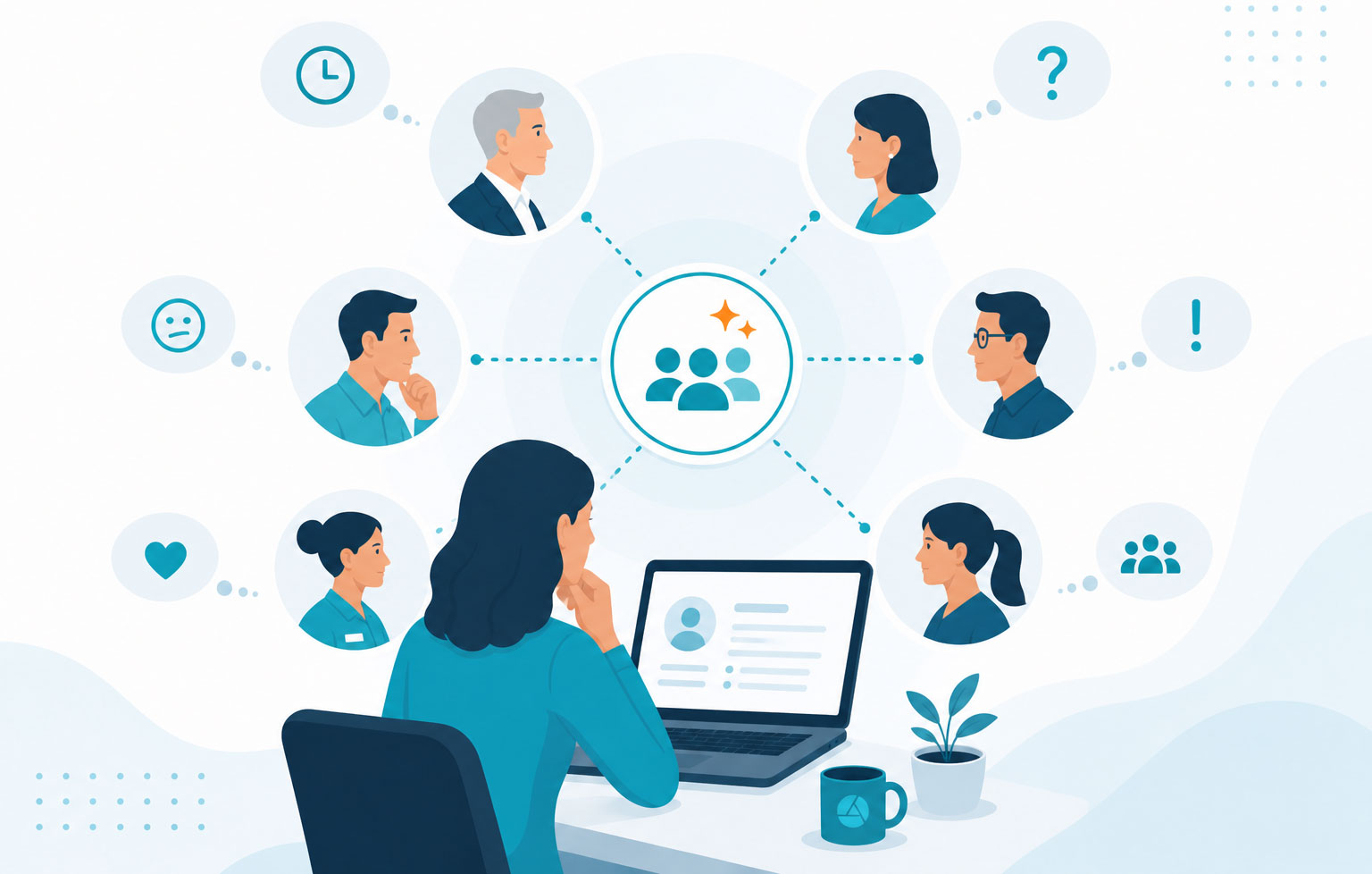
You can simulate different viewpoints and test your approach before you go live. For example, you might explore how a time-poor executive reacts to your messaging, how a sceptical middle manager interprets the change, or what concerns might sit just below the surface for frontline teams.
This helps you move from assumption to insight - and often surfaces things you might not have considered.
It’s not about replacing real engagement, but about strengthening it. By the time you do engage with stakeholders, you’re better prepared, more targeted, and more aware of potential reactions.
In many ways, it’s like having a virtual focus group you can revisit whenever you need — one that helps you pressure-test your thinking, refine your approach, and stay closer to the human side of change.
From Broadcast to Conversation
AI is excellent at drafting communications - helping you get to a first version quickly and refine tone for different audiences.
But its real value isn’t just in what it writes. It’s in helping you understand how your communication will land.
Too often, change communications are sent out as one-way broadcasts - clear to the sender but not always to the audience.

AI gives you the chance to pause before hitting send and test your message from different perspectives. You can quickly identify what’s unclear, what feels like corporate language, and what questions it creates.
This simple step can surface gaps that would otherwise only appear after the message has gone out.
It shifts communication from something you send to something you shape and refine - with the audience in mind from the outset.
Supporting Implementation Where It Matters Most
Change rarely fails because of the plan. It fails in the day-to-day conversations.
AI can help you think through how managers and leaders respond in real situations - particularly where there is resistance or uncertainty - and provide practical ways to handle those moments more effectively.
Adapting in Real Time
During implementation, feedback is constant.
It shows up everywhere - in survey comments, Teams chats, offhand remarks in meetings, or even in what people aren’t saying. And while each piece on its own might not seem significant, together they start to paint a picture of how the change is really landing.
The challenge is keeping up with it all. This is where AI can quietly make a big difference.
It helps you bring those pieces together, spot patterns, and make sense of what’s happening without waiting for formal reports or checkpoints. You can start to see where people are getting stuck, which concerns keep coming up, and where things might be shifting.
That means you don’t have to rely on a plan that was set weeks or months ago and hope it still fits.
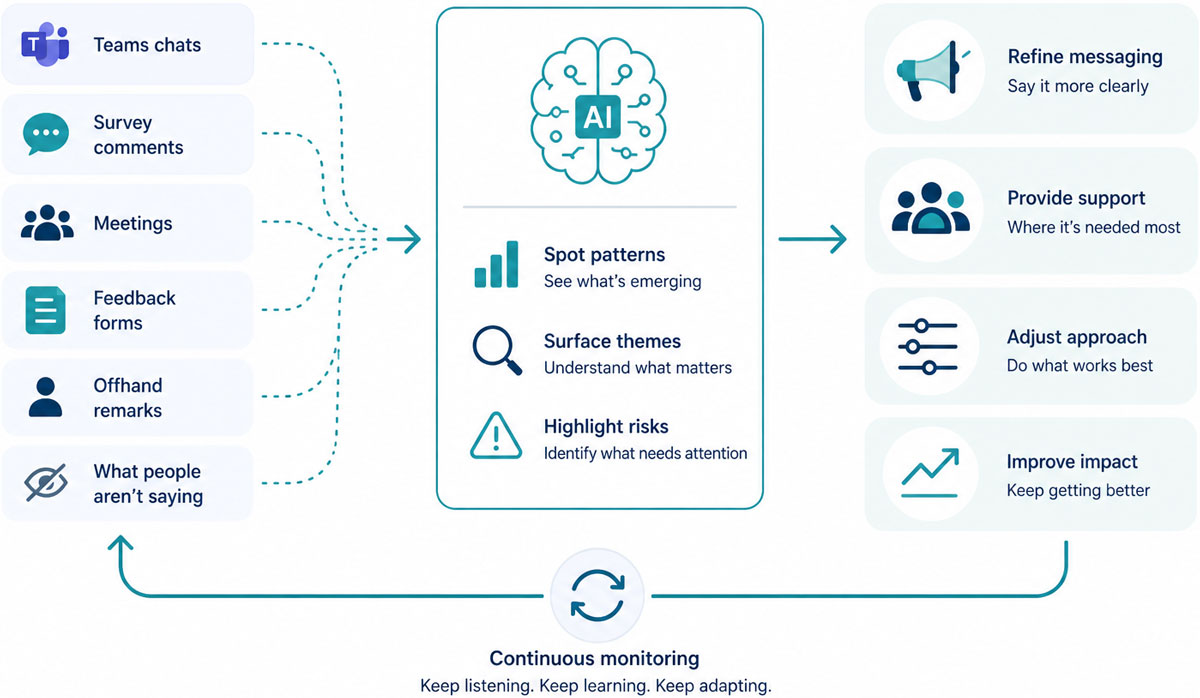
Instead, you can adjust as you go - refining your approach, tweaking your messaging, or putting more support where it’s needed most.
It makes change feel less like something you roll out in stages… and more like something you’re actively responding to as it unfolds.
And often, that’s what makes the difference - not just having a good plan, but being able to adapt when reality doesn’t quite follow it.
Everyday Wins: Where AI Quietly Saves You Hours
Some of the most valuable uses of AI aren’t complex - they’re the small things that save time and create clarity.
Meeting summaries that actually help
Instead of leaving a meeting with scattered notes, you can quickly generate key decisions, actions, risks, and stakeholder impacts - turning conversations into structured, usable outcomes.
Turning conversations into outputs
Change teams often have rich, valuable discussions about impacts - in workshops, Teams chats, or informal working sessions.
AI can help you move from conversation to documentation almost immediately, turning unstructured discussion into clear, structured outputs.
For example:
Based on this discussion, create a structured Change Impact Assessment.
From there, you can refine further - organising by stakeholder group, impact, and actions - creating something you can actually use.
It means you’re not losing momentum between discussion and documentation, and the insights captured in the moment make their way into your approach to change.
What Turns a Good Prompt into a Great Prompt?
The difference between average and high-quality output often comes down to how you ask.
Good...
Create a change impact assessment.
Better...
Based on this project (ERP implementation in Finance), create a change impact assessment.
Best...
Based on the following workshop notes and emails from the past week, create a Change Impact Assessment in table format suitable for Excel. Include stakeholder group, type of impact, level of impact (low/medium/high), and recommended actions. Focus on Finance teams, particularly Accounts Payable and Reporting, and keep it practical and implementation-focused.
Better prompts don’t just ask for answers - they set the AI up to produce something you can use.
A Small Habit That Makes a Big Difference: Build a Prompt Library
Those who gain the most value from AI don’t start from zero each time.
Instead, they build a simple prompt library - a collection of prompts they reuse, tweak, and improve over time. What starts as a few helpful questions quickly becomes a personalised toolkit that reflects how you think and how you work.
And it doesn’t need to be complicated.
You might begin by capturing prompts you find yourself using regularly - for example, analysing stakeholder feedback, drafting communications, or creating change artefacts. When something works well, save it. Then, the next time you use it, refine it slightly based on what you learned.
Over time, those small improvements add up.
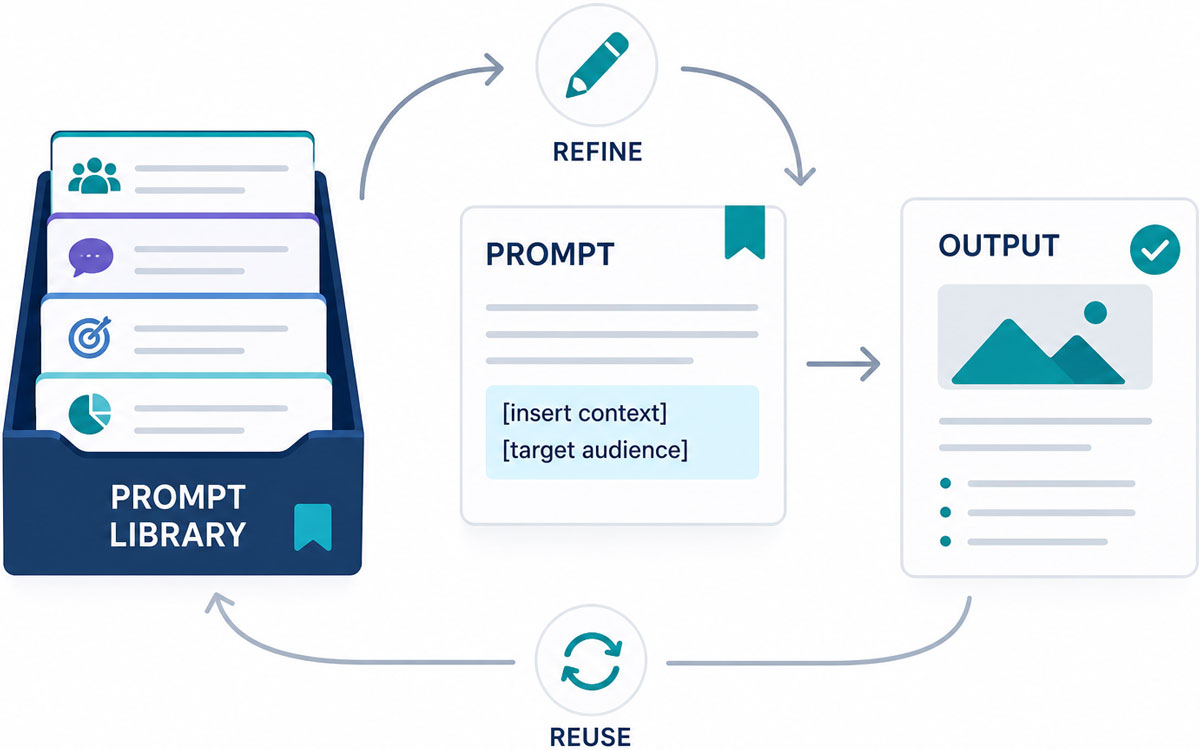
A good way to structure your library is by common change activities - such as readiness, communications, stakeholder engagement, or impact assessment - so it’s easy to find what you need in the moment. You can also build in placeholders (for example, “[insert context]” or “[target audience]”) so the prompt is reusable across different projects.
It’s also helpful to note what good output looks like. If a prompt produces something particularly useful, keep both the prompt and the response as a reference point - it makes it much easier to replicate that quality later.
For teams, this becomes even more powerful. Sharing a prompt library helps create consistency in how AI is used, reduces duplication of effort, and allows people to learn from what’s already working.
In many ways, it’s no different from building any other change toolkit - except this one evolves with you.
And once you have it, you’ll find you spend far less time figuring out what to ask… and much more time using the answers.
Getting Better Outputs - A Few Practical Tips
Before crafting a prompt, it helps to pause and be clear on what you’re asking for.
Start by thinking about what response you need - whether that’s insight, a draft, a structured output, or a critique - as this will shape how useful the result is.
It’s also worth considering why you need it. Are you preparing something for executives, supporting managers, or trying to clarify your own thinking? Being clear on the purpose helps guide the tone and depth of the response.
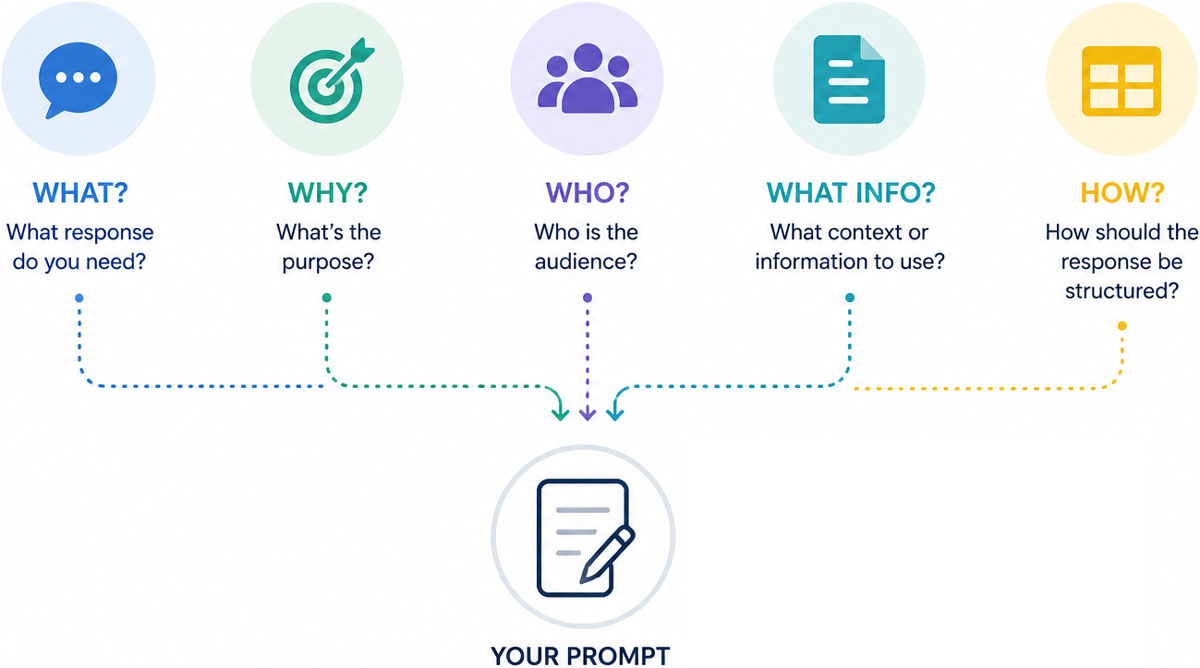
Next, think about who is involved. Anchoring your prompt to a specific audience - whether that’s frontline teams, leaders, or a particular stakeholder group - makes the output far more relevant.
You should also consider what information the AI should use. Providing context such as workshop notes, survey data, or project details can significantly improve the quality and accuracy of what you get back.
Finally, be clear on how you want the response structured. Whether you need a Word-style summary, a PowerPoint storyline, or an Excel-style table, guiding the format ensures the output is immediately usable.
Taking a moment to think through these elements can make a noticeable difference - turning a generic response into something much more practical and tailored.
A Quick Comparison: Common AI Tools
One of the questions that comes up most often is: which AI tool should I use?
The reality is you don’t need to pick just one. Each tool has its strengths, and most teams find they get the best results by using a combination, depending on what they’re trying to do.

ChatGPT is often the go-to for thinking, structuring, and refining ideas. It’s particularly strong when you want to explore a problem, challenge your thinking, or iterate on content. Many people use it as a sounding board - somewhere to test ideas before they take them further.

Microsoft Copilot works best when embedded in your day-to-day workflow. If you’re in Outlook, Teams, Word, or PowerPoint, Copilot can help summarise meetings, draft emails, pull together presentations, and turn conversations into structured outputs. It’s especially useful for capturing what’s already happening in your organisation and turning it into something actionable.

Gemini is similar in concept to Copilot, but within the Google ecosystem. It’s strong when working across documents, emails, and data in Google Workspace, and can help connect information from multiple sources. It’s particularly useful for organisations already embedded in that environment.

Claude is often used for more detailed writing, analysis, and handling longer documents. It’s known for thoughtful responses and can be helpful when working through complex or nuanced material.

Perplexity is more of a research-focused tool. It’s useful when you want to explore a topic, gather information quickly, or sense-check ideas against external sources. Think of it as a more conversational, AI-powered search experience.

Notion AI and similar embedded tools
Notion and these other platforms sit within tools people already use and help summarise notes, draft content, and organise information. They’re often less about big outputs and more about improving day-to-day productivity.
In practice, many teams use a mix - for example:
- ChatGPT for thinking and shaping
- Copilot for capturing and producing outputs from meetings and documents
- Other tools for research or specific use cases
It’s less about finding the “best” tool and more about understanding what each one does well.
It’s also worth noting that learning-specific AI tools fall into a slightly different category. Tools like Synthesia, Articulate AI, or Easygenerator are designed specifically for creating training and learning content - things like videos, modules, and courses - rather than supporting day-to-day change work. They’re incredibly useful, but for a different purpose.
The key is to start with the task in front of you and then choose the tool that best supports it - rather than trying to make one tool do everything.
A Few Pitfalls to Be Aware Of
Like any tool, AI is powerful - but it’s not perfect.
It’s important to be mindful of privacy and confidentiality, particularly when working with sensitive organisational or people data. AI can also reflect bias in its responses, so applying your own judgment remains critical. It doesn’t truly understand your organisation’s context, history, or internal dynamics, which means its outputs should always be interpreted with that in mind.
It’s also worth remembering that AI can sound very confident - even when it’s not entirely correct - so taking a moment to sense-check what it produces is essential. And while it can simulate emotion and human behaviour surprisingly well, it doesn’t genuinely understand either.
Ultimately, AI works best when it supports your thinking, not replaces it.
A Final Thought
If you’re not sure where to start, start small.
Pick one use case this week - a meeting summary, a comms draft, or a piece of analysis - and try it.
Because the real shift isn’t about using AI to do more. It’s using AI to think better about change.
About the authors

Caroline Mills
Caroline has led Allegra Consulting for more than 15 years, transforming the business into one of Australia's… View profile
Related services & courses

CONSULTING SERVICES
AI integration
We specialise in delivering change management solutions to help mitigate risks and maximise the benefits of integrating new…

ACADEMY COURSES
Introduction to AI for Change Professionals 1/2-Day Workshop
This half-day workshop is for change professionals looking to learn more about using AI tools in their change initiatives an…